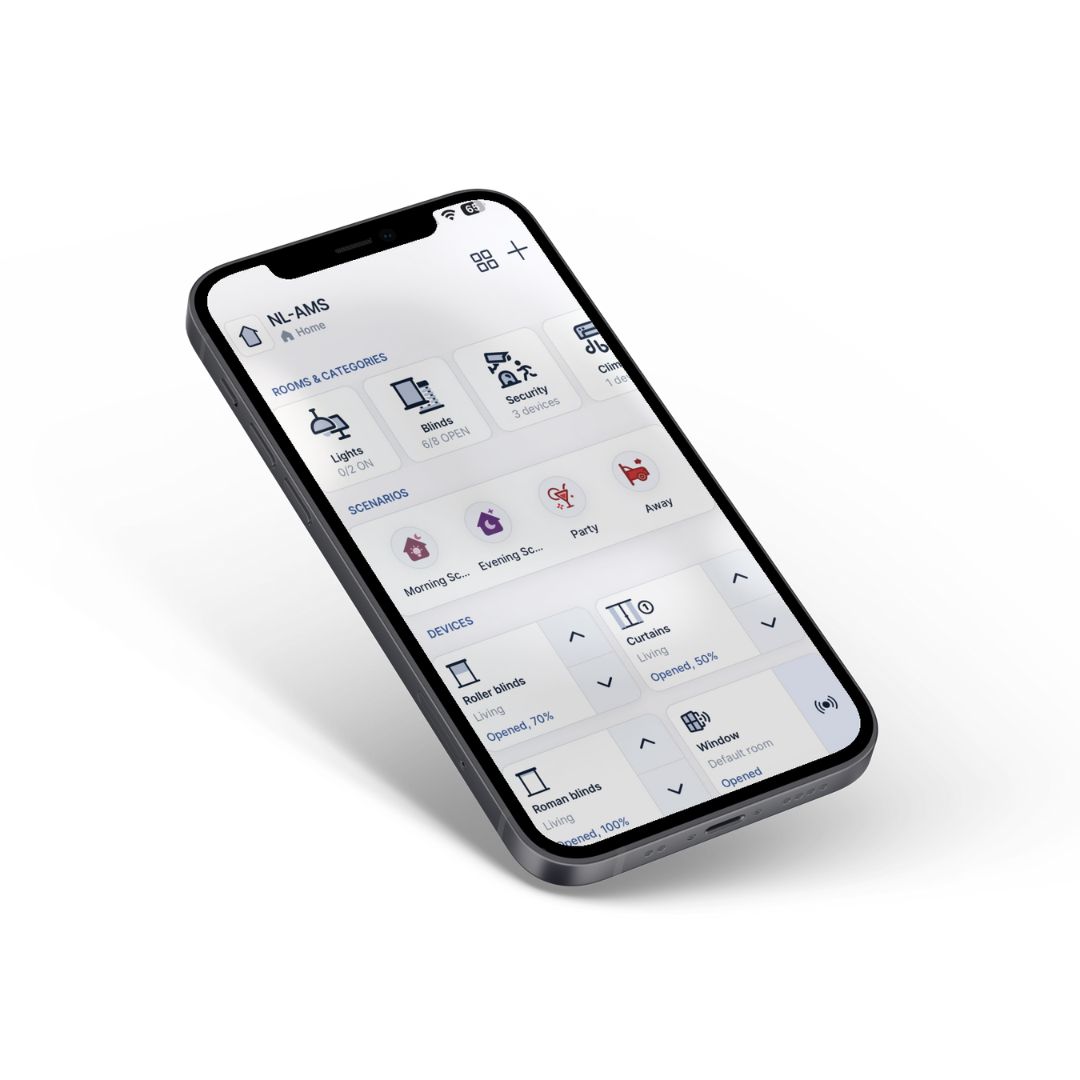
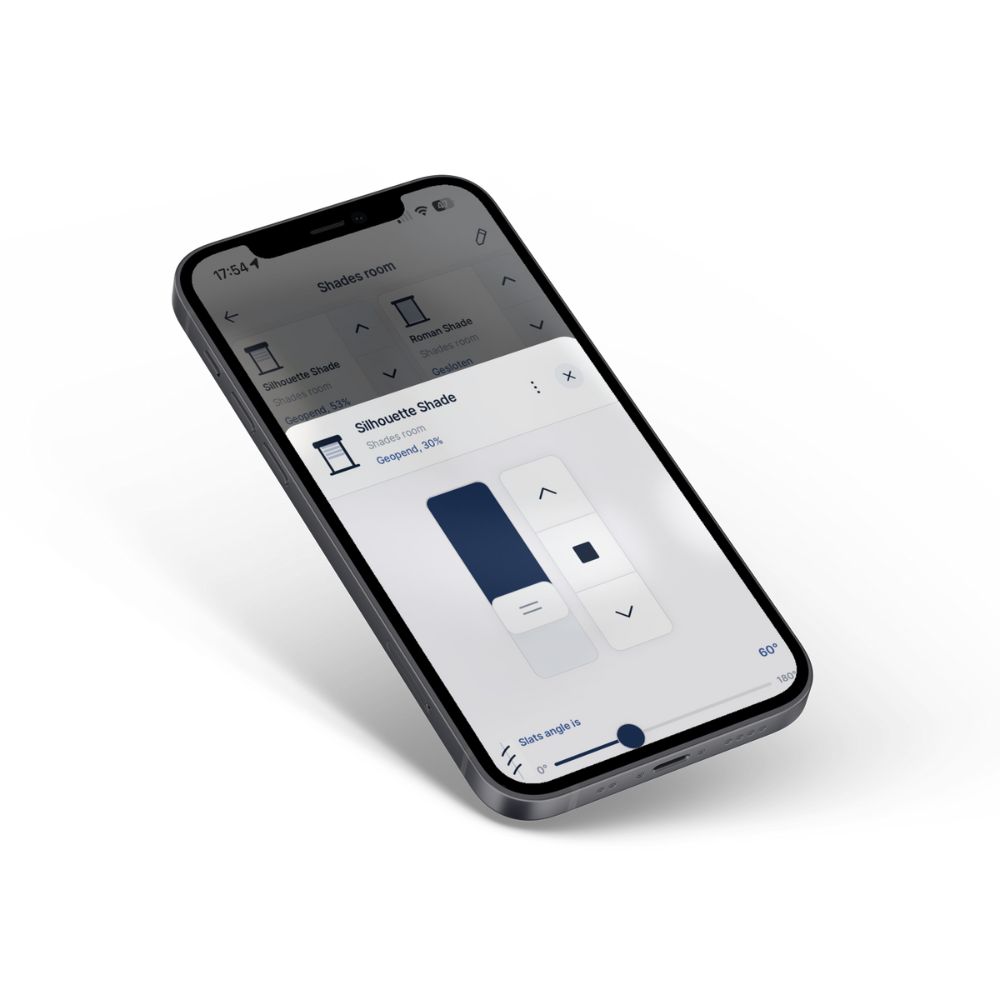
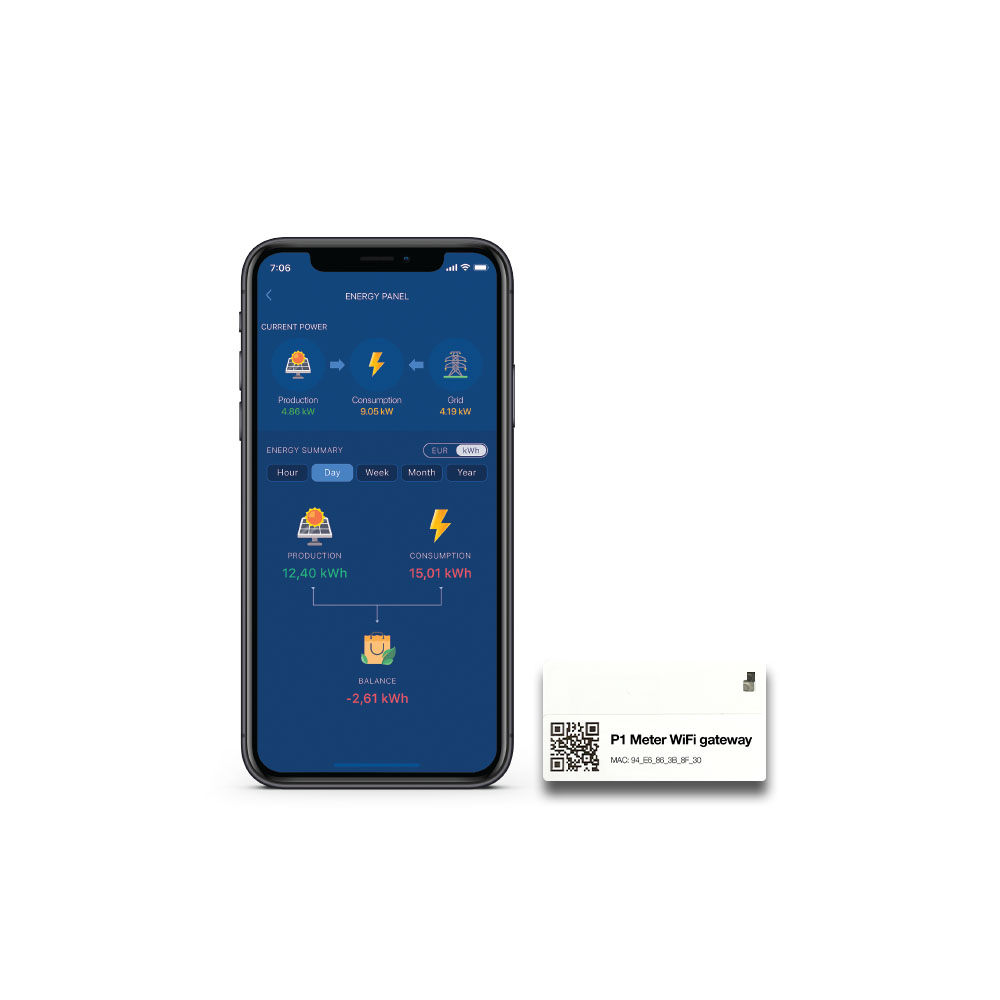
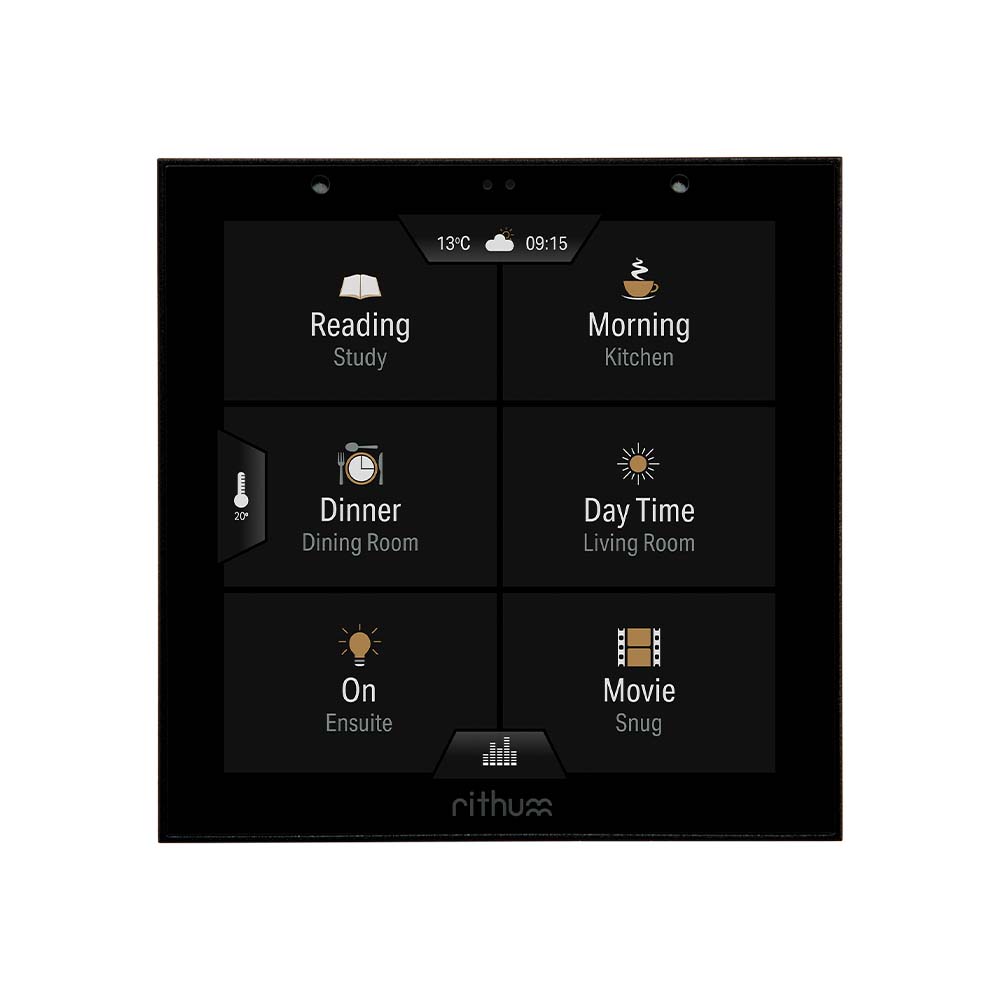
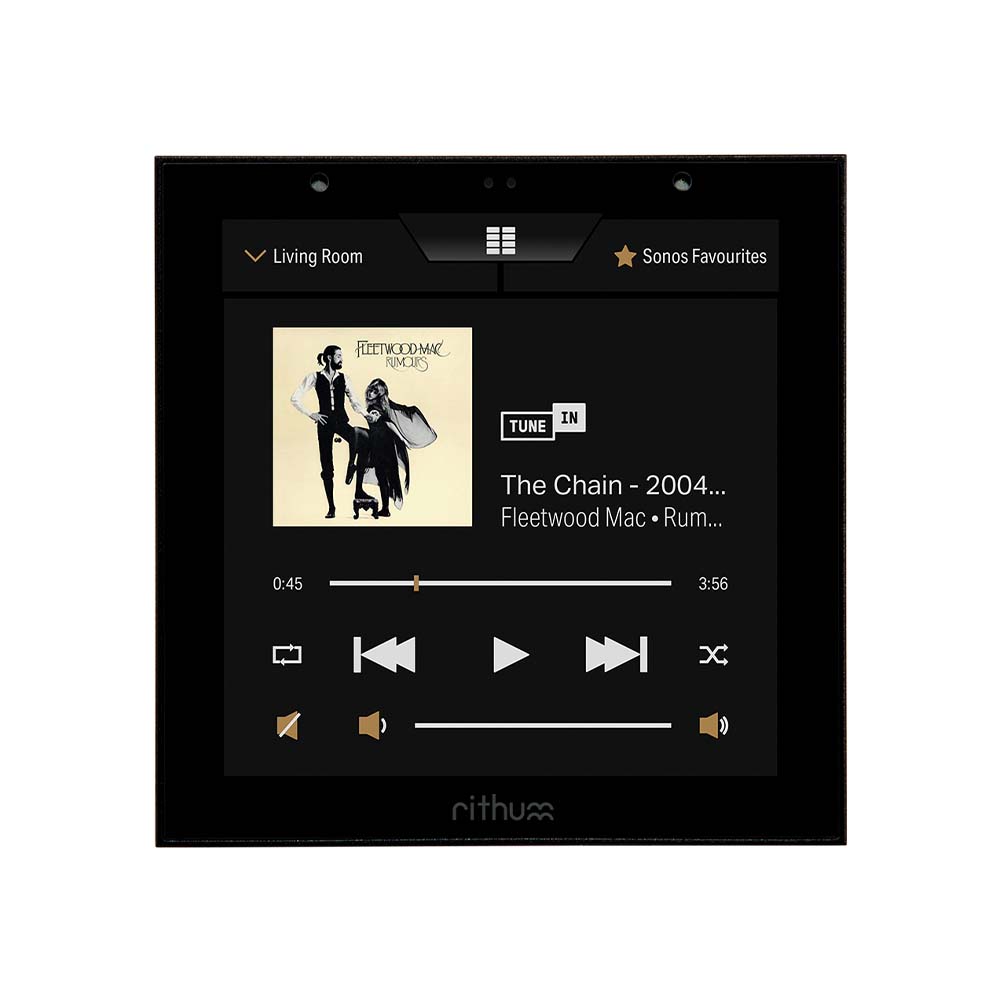
The BREL Home Quick App is the easiest way to integrate BREL Home and Coulisse Motionblinds devices with the Nice-FIBARO PRO home management system. With the QA it is possible to operate devices that work with the BREL Home protocol. Thanks to the QA integration, it is possible to operate the BREL/Motionblinds devices via the Yubii App and automate them through scenes.
Supported devices
The Quick App is compatible with the BREL Home hub and the Motionblinds hub, with various window covering applications such as roller blinds, blinds and Top-Down-Bottom-Up solutions.
The status of the device in the Nice-FIBARO gateway is determined by the protocol type. Devices that work with both 1-way and 2-way communication are supported. The 1-way devices do not provide status feedback. Devices that work with 2-way communication. This means that the status is updated, also in the connection with Nice-FIBARO.
Other notes
1. The Quick App is not a product of BREL and/or Coulisse Motionblinds;
2. There are also various options for direct control of motors via Z-Wave with the FIBARO PRO smart home system. Please contact us for more information.
3. For projects and environments that are not yet equipped with motorization, we recommend using the FIBARO Roller Shutter 4 in combination with AC motors. Contact us for more information;
4. The BREL Home hub or Coulisse Motionblinds hub is required for the integration and is not offered by us. The BREL Home QA uses the local API of BREL Home/Motionblinds;
5. The supplier and developer are not liable for the API availability and changes of BREL Home/Motionblinds. If bugs or problems arise with the Quick App, they will be resolved on a best effort & fair use can be resolved;
6. The Quick App has been developed based on available documentation from BREL Home/Motionblinds. The operation and support of this Quick App is limited to the API options that BREL Home/Motionblinds offers.
Features
• Automatic device name import
• Reloading of added or changed devices is possible
• Control BREL Home or Motionblinds motors with the Yubii App
• Automate BREL Home or Motionblinds with the Nice-FIBARO system
• Developed based on the local API of the BREL Home hub and Motionblinds hub
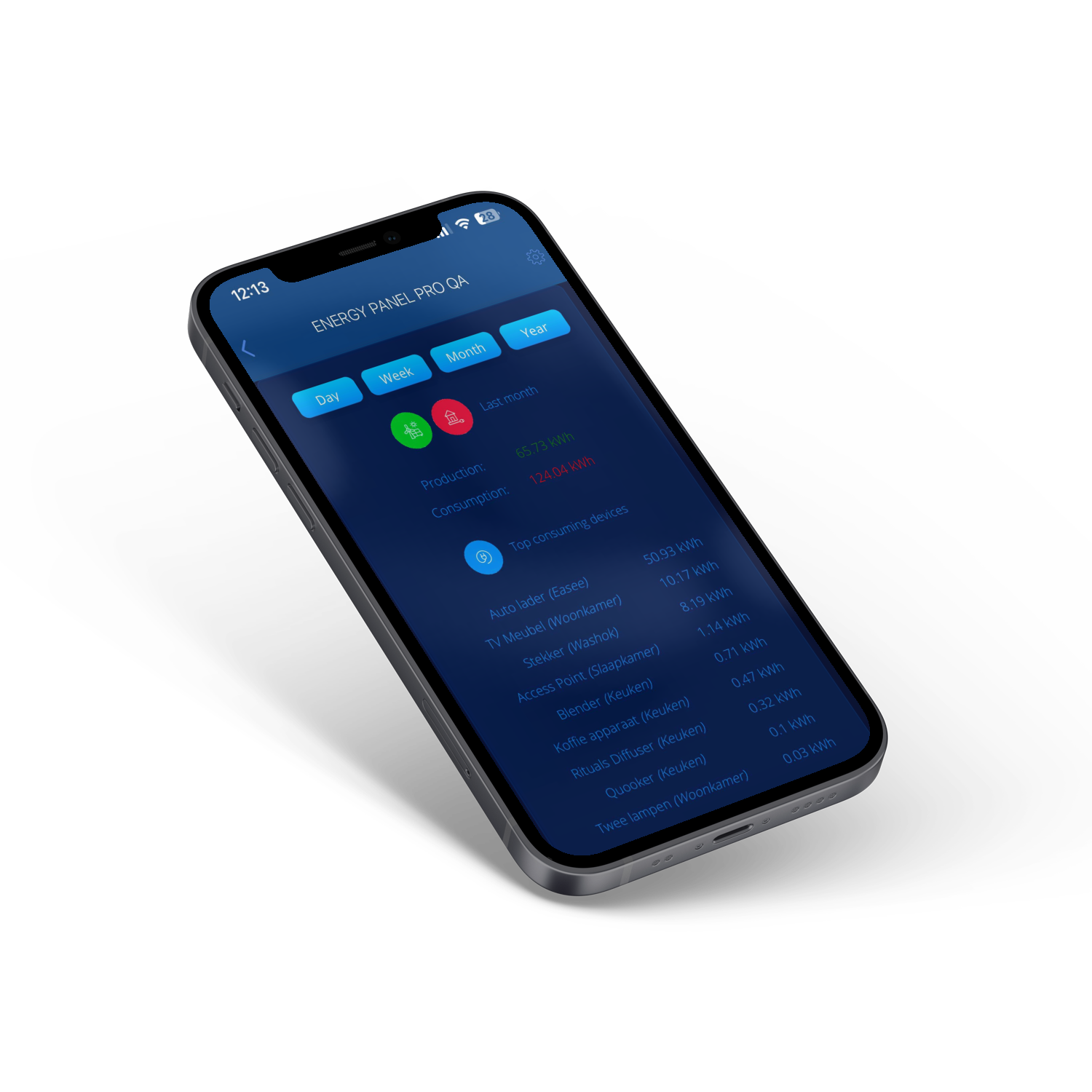
The Energy Panel Pro QA displays the data of the energy panel and the connected devices from the FIBARO PRO smart home system in the most user-friendly way.
For starters, Energy Panel Pro QA has four simple filters to view the data based on the past day, week, month and year. The Energy Panel Pro QA displays, in addition to the energy balance, the total production, consumption and a list of the devices that consume the most. Furthermore, there is a device selection for viewing consumption data of a specific device.
Other notes
The Quick App is not a product of FIBARO;
The supplier and developer are not liable for API availability and manufacturer changes. If bugs or problems arise with the Quick App, they will be resolved on a best effort & be resolved fair-use;
The Quick App has been developed based on available documentation from FIBARO. The operation and support of this Quick App is limited to the API options that FIBARO offers.
Features
Understanding the detailed view of energy consumption & production via the Yubii App;
Insight based on day, week, month and year;
Data comes directly from the FIBARO energy panel;
Free of Subscription/Hidden Fees.
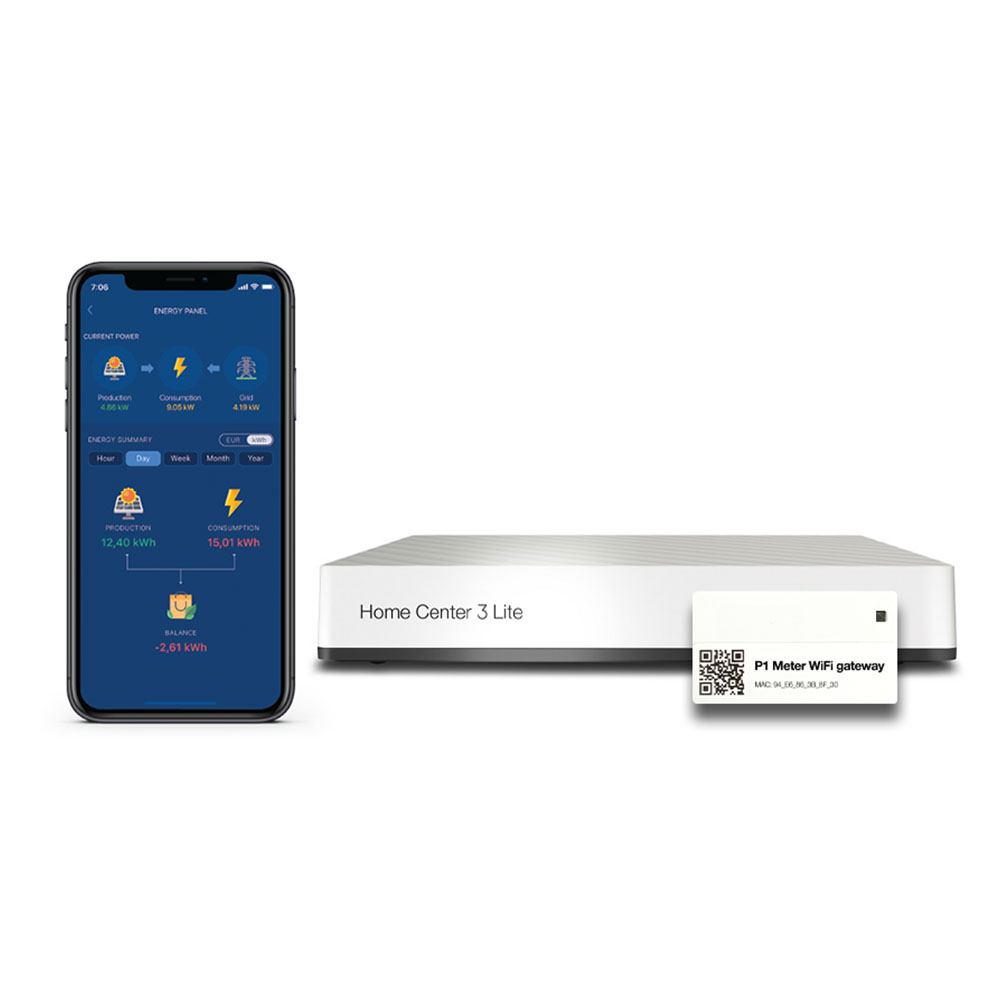
The FIBARO Home Center 3 Lite & P1 Meter WiFi Gateway Bundle helps you gain insight into energy consumption and save on energy costs. With the Yubii App you can easily view real-time consumption, current consumption, current feed-in and total consumption. The bundle includes the FIBARO Home Center 3 Lite, P1 Meter WiFi Gateway and the Quick App for the integration of the P1 Meter.
The P1 Meter WiFi Gateway makes it possible to connect the smart meter via WiFi to the FIBARO PRO smart home system. The P1 Meter WiFi Gateway works on all smart meters in the Netherlands, Belgium and in some cases also in Luxembourg. Most meters do not require an additional power supply. Only older meters with DSMR 4 or lower require the power supply. The FIBARO Home Center 3 or FIBARO Home Center 3 Lite is required to use the P1 Meter WiFi Gateway in combination with the FIBARO energy panel.
Integrate your smart meter and register the information in the FIBARO energy panel. The P1 Meter WiFi Gateway is easy to integrate into the FIBARO PRO smart home system. The Quick App automatically detects whether the smart meter is connected to 1 or 3 phases and whether a gas meter is present. The P1 Meter WiFi Gateway works in the FIBARO energy panel in both Meter Configurations (Whole Consumption & Net Consumption). Contact us for more information.
Features
Real-time insight into consumption
Insight into electricity consumption per week, month, quarter
Receive notifications of standby consumption
Notifications at high consumption and low feed-in
Works independent of the cloud
Free of Subscription/Hidden Fees
Expand for more smart functions and (automatic) scenes
Content
1x P1 Meter WiFi Gateway Quick App App for HC3/HC3L (encrypted)
1x P1 Meter WiFi Gateway
1x FIBARO Home Center 3 Lite
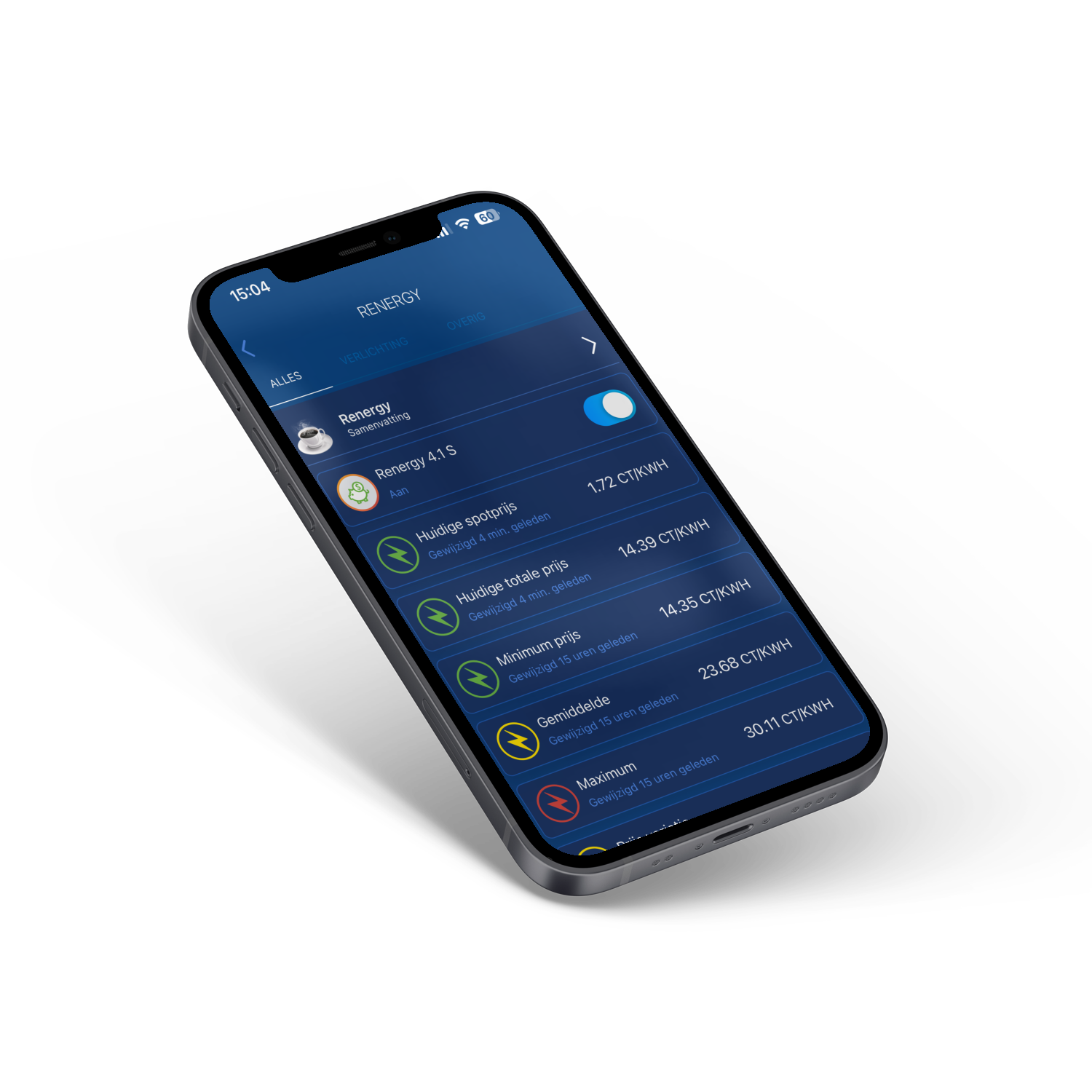
The Renergy Quick App is the most user-friendly way to automatically operate large-scale electrical consumers based on the spot price. With the QA it is possible to have these devices automatically avoid the most expensive prices. In terms of devices, you can think of the electric underfloor heating, an electric boiler and the car charging station. As a user, you only have to determine how many hours per day these devices are operated. The Quick App automatically ensures that the most expensive hours of the day are avoided. In addition, when purchasing Renergy you receive access to 4 additional integrations for operating a charging station or infrared panel.
As an Renergy user you can choose any energy supplier that offers dynamic energy rates. Furthermore, there are no subscription or other hidden costs for automating based on the spot price. Renergy collects the spot prices from Nord Pool every day. Thanks to this integration, the spot price per hour becomes clear on a daily basis and can be automated accordingly.
As a user, you can then set the individual hours to avoid the price for electric heating, boiler and charging station. When importing Renergy, several Events, Variables and Child Devices are created in the system. This makes it incredibly easy to switch the desired devices based on the spot price.
Additional integrations
The Renergy Quick App comes with two additional types of integrations from four different brands. The first type is an integration of a smart charging station, which works with the Easee and Zaptec charging stations. The second type is an integration of a smart infrared panel, which works with the panels of Mill and Adax.
Easee & Zaptec with the FIBARO HC3 / HC3L
With these Quick Apps it is possible to integrate a charging station from Easee or Zaptec. With both integrations, it is possible to operate the charging station individually and to include it in the automation with Renergy. The QA also monitors the active and total energy consumption.
Adax & Mill with the FIBARO HC3 / HC3L
With these Quick Apps it is possible to integrate an infrared panel from Adax or Mill. With both integrations it is possible to operate the panel individually and to include it in the automation with Renergy. The QA also monitors the active and total energy consumption.
Energy Panel Pro
The Energy Panel Pro QA displays the data of the energy panel and the connected devices from the FIBARO PRO smart home system in the most user-friendly way.
Notes
The Quick App is not a product of FIBARO;
The supplier and developer are not liable for API availability and manufacturer changes. If bugs or problems arise with the Quick App, they will be resolved on a best effort & be resolved fair-use;
The Quick App has been developed based on available documentation from FIBARO. The operation and support of this Quick App is limited to the API options that FIBARO offers.
Renergy works independently of your energy supplier.
Infrastructure device automation with Renergy requires smart devices or integrations to operate them. Contact us for more information.
A P1 Meter is required to keep track of the total consumption. The P1 Meter WiFi Gateway is recommended for this. https://shop.jdkbenelux.com/P1- Meter-WiFi-Gateway-Quick-App-for-HC3-HC3L/P1M-WG
Features
Automate based on spot price with FIBARO;
Avoid the most expensive prices for electric heating, boiler and car charging;
Use the cheapest prices for charging a home battery;
Optimized for the Yubii App;
No subscription costs for the end user;
Works with the FIBARO Home Center 3 and Home Center 3 Lite;
The Luxaflex PowerView® Gen3 Quick App is the easiest way to integrate Luxaflex PowerView® devices with the Nice-FIBARO PRO smart home system. This software integration allows you to control Luxaflex devices that operate with the Luxaflex PowerView® protocol. Thanks to the QA integration, Luxaflex PowerView® devices can be controlled via the Yubii App and automated using scenes.Supported devicesThe Quick App is compatible with the Luxaflex PowerView® Gateway - Gen 3. The integration supports various Luxaflex devices, including Silhouette® shades, Duette® & Plissé shades, Twist® shades, horizontal and vertical blinds, roller and Roman blinds.The device status in the Nice-FIBARO gateway is updated every 10 seconds, making it visible in the app.Additional notes
This Quick App is not a product of Luxaflex or Hunter Douglas;
This Quick App is not the same as the PowerView® plug-in that comes standard with the Nice-FIBARO controller. That plug-in is based on older versions of PowerView® gateways (Gen1/2).
There are various options for direct motorization control via Z-Wave with the Nice-FIBARO smart home system. Contact us for more information.
For projects and environments without motorization, we recommend using the Nice Roll-Control combined with AC motors. Contact us for more details;
The Luxaflex PowerView® Gateway - Gen 3 is required for integration and is not offered by JDK Benelux. The Luxaflex PowerView® Gateway - Gen 3 must be connected to the same network as the Nice-FIBARO gateway;
The supplier and developer are not liable for API availability and changes of the Luxaflex PowerView® Gateway - Gen 3. Bugs or issues in the Quick App will be resolved on a best-effort & fair-use basis;
The Quick App is developed based on available documentation from Luxaflex PowerView®. The functionality and support of this Quick App are limited to the API capabilities offered by Luxaflex PowerView®;
The HC3/HC3L does not support the real-time update protocol of the PowerView® Gateway - Gen 3. This is not a bug in the Quick App. The Quick App checks for status changes of connected devices every 10 seconds by default. This interval can be adjusted via the Quick App variables.
Features
Works independently of the cloud on a local Luxaflex PowerView® Gateway - Gen 3
Reloading added or modified devices is possible
Control Luxaflex PowerView® motors with the Yubii App
Control Luxaflex PowerView® Favorites with the Yubii App
Automate Luxaflex PowerView® window coverings with the Nice-FIBARO system
Developed based on the local API of the Luxaflex PowerView® Gateway
The P1 Meter WiFi Gateway makes it possible to connect the smart meter via WiFi to the FIBARO PRO smart home system. The P1 Meter WiFi Gateway works on all smart meters in the Netherlands, Belgium and in some cases also in Luxembourg. Most meters do not require an additional power supply. Only older meters with DSMR 4 or lower require the power supply. The FIBARO Home Center 3 or FIBARO Home Center 3 Lite is required to use the P1 Meter WiFi Gateway in combination with the FIBARO energy panel. >
Integrate your smart meter and register the information in the FIBARO energy panel. The P1 Meter WiFi Gateway is easy to integrate into the FIBARO PRO smart home system. The Quick App automatically detects whether the smart meter is connected to 1 or 3 phases and whether a gas meter is present. The P1 Meter WiFi Gateway works in the FIBARO energy panel in both Meter Configurations (Whole Consumption & Net Consumption). Contact us for more information.
Features
Real-time insight into consumption
Insight into electricity consumption per week, month, quarter
Receive notifications of standby consumption
Notifications at high consumption and low feed-in
Works independent of the cloud
Free of Subscription/Hidden Fees
Expand for more smart functions and (automatic) scenes
Content
1x P1 Meter WiFi Gateway Quick App App for HC3/HC3L (encrypted)
1x P1 Meter WiFi Gateway
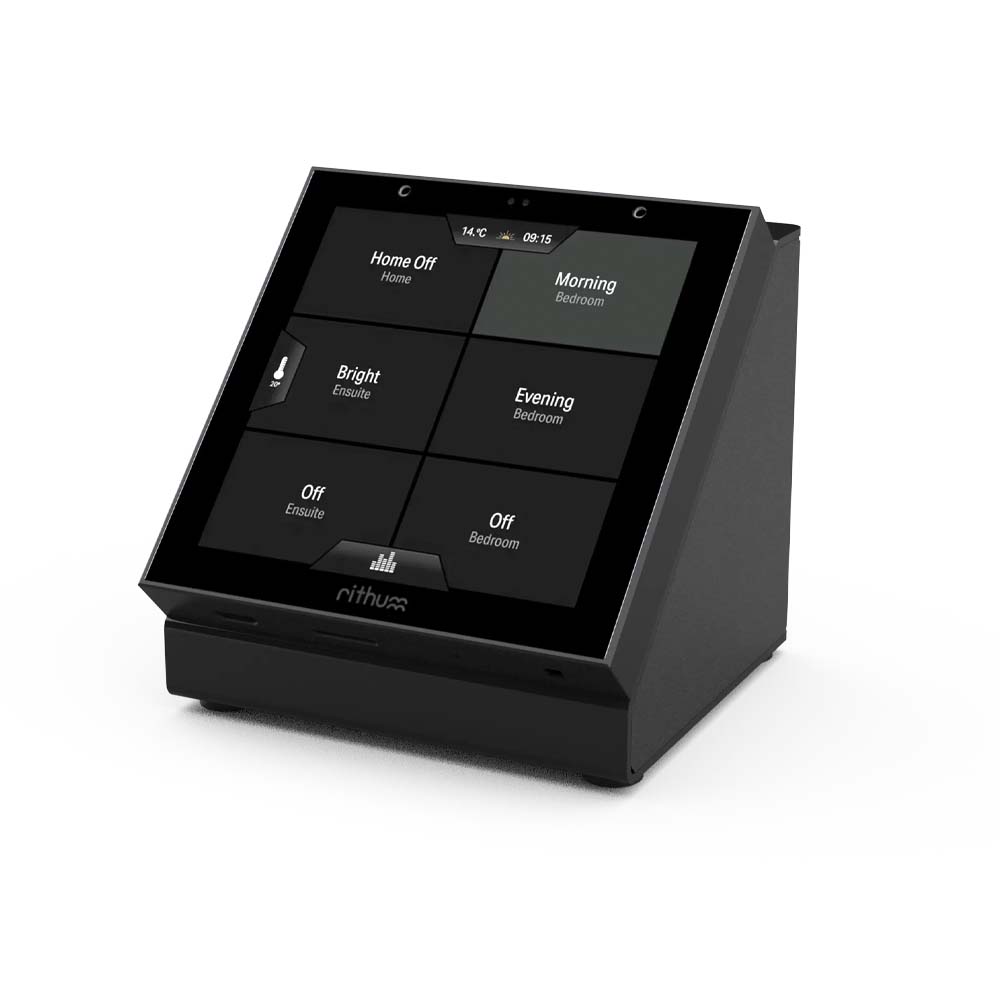
The FIBARO Core plugin allows Rithum Switch or VIOLET SmartSwitch Lite to access the FIBARO PRO smart home system. The plugin gives you the option to easily control favorite scenes and quickly start actions via the standby screen.For every Rithum Switch or VIOLET SmartSwitch Lite one plugin is required. The plugin must be purchased once. This plugin is suitable for the Rithum Switch and the VIOLET SmartSwitch LiteAbout Core Plugin
This is the Core plugin and provides the core integration and support for the scenes screen. Additional features may be supported in the future via Plus plugins.
The Rithum Switch has been developed as a user-friendly control panel for quick control of your smart home. With the Rithum Switch you control the lighting and audio via a central point. This way, the whole family or your visitors can easily activate the right atmosphere. The Rithum Switch has a compact and modern design. The screen has a size of 86 x 86 mm and a depth of 19 mm. The mounting is on a standard flush-mounted box, the recommended depth is 35mm. The product communicates with WiFi with other smart devices in the home. No additional app is required to configure the Rithum Switch, the setting is done via the screen. Rithum Switch features a built-in temperature and proximity sensor.
User-friendly control of Philips Hue lighting and scenesLevels Screen – Users can adjust the lighting on a group and individual device level. For example, all lights in the kitchen group or a single light. Thanks to the user-friendly Levels Screen, you can switch the lighting on/off and dim it via a slider. The new Levels Screen is included as standard for Philips Hue.Scene Screen - The scene screen shows the room power button and then up to seven other scene buttons that you can select through the settings. In addition, scenes can be grouped in different ways. The macro settings activate all child scenes, the list setting displays all selected child scenes and the step mode displays the scene that will be activated on the next tap.Additional plugins are required to integrate Levels & Scenes from other systems.Easy, fast music control via Sonos
The audio screen contains the controls you need most. Select a zone, choose favorite playlist and manage the volume.Fast climate control & thermostat functionRithum Stat offers a full suite of functions for climate control out-of-the-box. On the climate screen you Climate Screen controls existing heating systems from other systems or Rithum Stat.Rithum Stat - Rithum Stat offers a full suite of climate control functions out-of-the-box. On the Climate Screen, you can see the current temperature, manually adjust the setpoint, select the zone and pause or resume the schedule. You can assign a switch via a plugin, for example from the Philips Hue bridge. Philips Hue, like Sonos, is a free feature of the Rithum Switch.If you want to use the Rithum Stat, you can use a Zigbee switch, relay or plug-in from the Hue bridge. Assigning scenes can be done with one of the other integrations, for example FIBARO or Homey. Existing climate integrations such as Tado & FIBARO Climate can be combined with the Rithum Stat function. You can easily switch between zones for manual control. FIBARO Climate - Two special Quick Apps are available for FIBARO users to control the Climate panel. This means users can use their FIBARO system for climate control, but don't want an extra thermostat in the room. By integrating the temperature sensor into the FIBARO system, you can create a virtual thermostat. Within the system, the thermostat can be used for a heating zone with schedule. This schedule can be manually overwritten with the FIBARO Climate Plugin using the Rithum Switch. Keep in mind that you need the FIBARO Climate Plugin for manual control.
Weather and time
The Rithum Switch gives you the current time and weather information at a glance based on the set location.
Actions via the standby screen
No need to wake up the screen, press and hold the screen for a second and the backlight will turn on. Double tap on the standby screen and the music will start playing or pause.
Integrations
Rithum Switch currently works with Philips Hue and Sonos. Other plugins are available through a paid license, including those from FIBARO, Tado and BluOS.
Rithum is working on more integrations to make it as easy as possible for the user. Advanced users can load their own integrations via the generic HTTPviaSD integration. This makes it possible to control almost everything via HTTP requests.
Ongoing support via remote updates
Rithum works together with smart devices from other manufacturers. This makes Over-The-Air (OTA) updates a very important feature. Thanks to support for remote updates, Rithum is continuously getting more extensive and smarter. This means that existing functions remain supported and new functions can be added.
Features
Connection via WiFi
Works with Philips Hue, Sonos, FIBARO, Tado and BluOS
Built-in temperature sensor
Configurable scene screen
User-friendly touch control panel
Support for Standby screen actions
Modern and compact design – size 86 x 86 mm
Mounting on a flush-mounted box (recommended depth 35mm)
The Rithum Switch Table Stand offers users the flexibility to place the Rithum switch anywhere in a room. Place the Rithum on a side table, sideboard, bedside table or reception desk. This gives others easy access to the control of the smart lighting, audio, climate control.
The Table Stand is made of black powder-coated metal. The color is matte black (RAL 9011). The dimensions in millimeters: W86 x H73.4 x D75
No standard cable is included. We recommend a 12V DC power supply (minimum 10W) or a USB to 12V converter cable. Mains supply is also possible via the grounding lug on the inside.
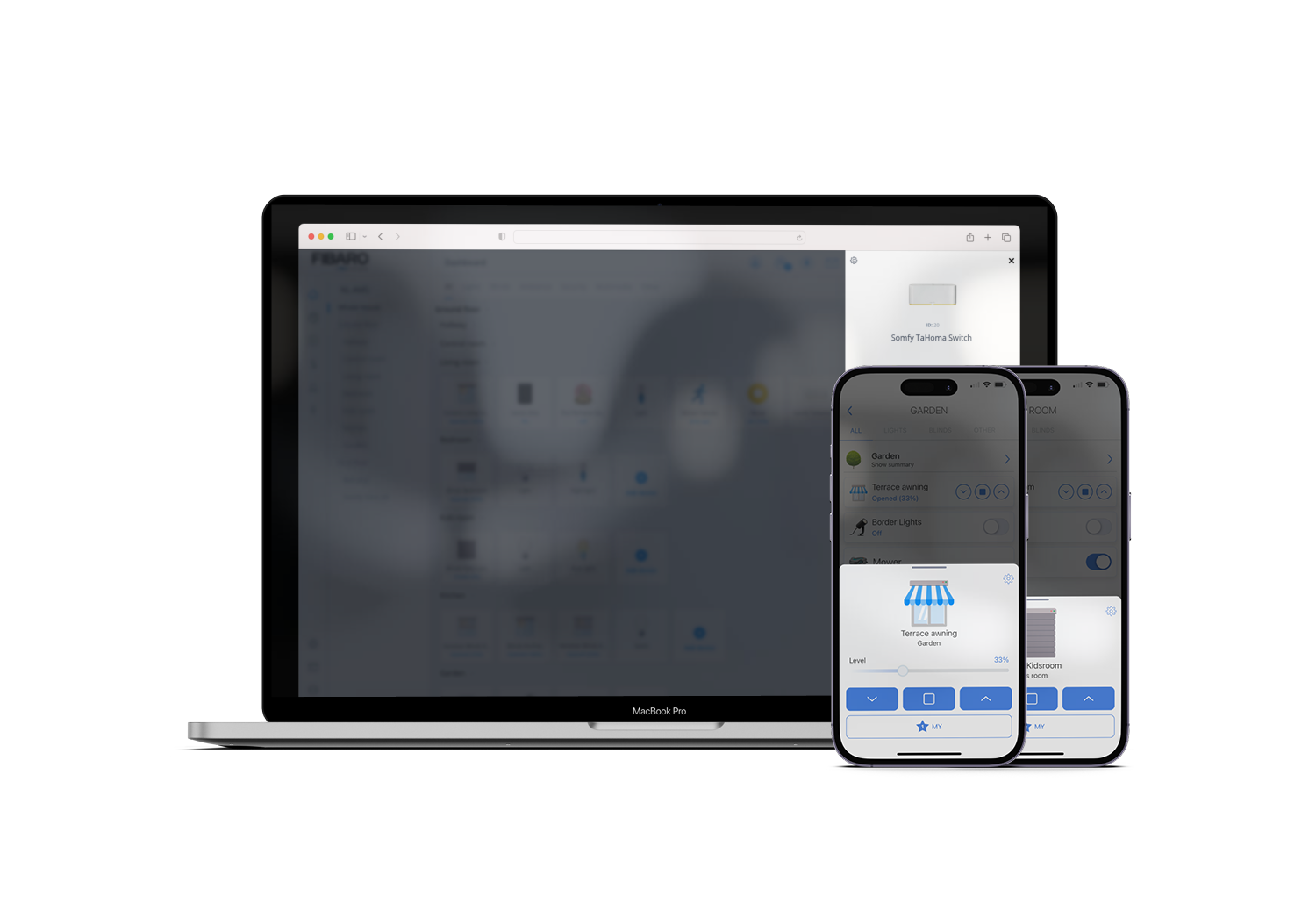
The Somfy Tahoma Switch Quick App is the easiest way to integrate Somfy devices with the FIBARO PRO smart home system. With the QA it is possible to control devices that work with Somfy's iO or RTS protocol. Thanks to the QA integration, it is possible to operate the devices via the Yubii App and automate them using scenes.
Supported devices
The Quick App is compatible with the Tahoma Switch and Connexoon iO. The integration supports the following Somfy device types Awning, IO Dimmable Light, Exterior Screen, Exterior Venetian Blind, Garage Door, Pergola, IO Plug, IO Sun Sensor, Roller Shutter, Screen, Venetian Blind, Window, J4/J406 IO Adjustabale Slats Roller Shutter motors.
The status of the device in the FIBARO Home Center is determined by the protocol type. Devices that work with the RTS protocol only support 1-way communication. This means that there is no status feedback. Devices that work with the iO protocol support 2-way communication. This means that the status is updated, also in the link with FIBARO.
Other notes
The Quick App is not a Somfy product;
There are several options for direct motorization control via Z-Wave with the FIBARO PRO smart home system. Contact us for more information.
For projects and environments that are not yet equipped with motorization, we recommend using the FIBARO Roller Shutter 3 in combination with AC motors. Contact us for more information;
The Somfy Tahoma Switch or Connexoon iO is required for the integration and is not offered by us. It is required to enable developer mode. The Tahoma QA uses Somfy's local API;
The supplier and developer are not liable for the API availability and changes of Somfy. If bugs or problems arise with the Quick App, they will be resolved on a best effort & be resolved fair-use;
The Quick App has been developed based on available documentation from Somfy. The operation and support of this Quick App is limited to the API options offered by Somfy.
Tilt by means of the second slider in the HC3 device does not work. This is because Somfy performs this function step by step and the HC3 works with a 0-100 value. These two control principles are not compatible with each other. This is not a Quick App error.
Features
Works independently of the cloud (after logging in to Somfy to obtain a token)
Automatic device name import
Reloading added or modified devices is possible
Control Somfy motors with the Yubii App
Operation of the Somfy my button possible with the Yubii App
Automate Somfy sun protection with the FIBARO system
Integrate your IO and/or RTS equipment
Developed based on the local API of the Somfy Tahoma Switch and Somfy Connexoon iO